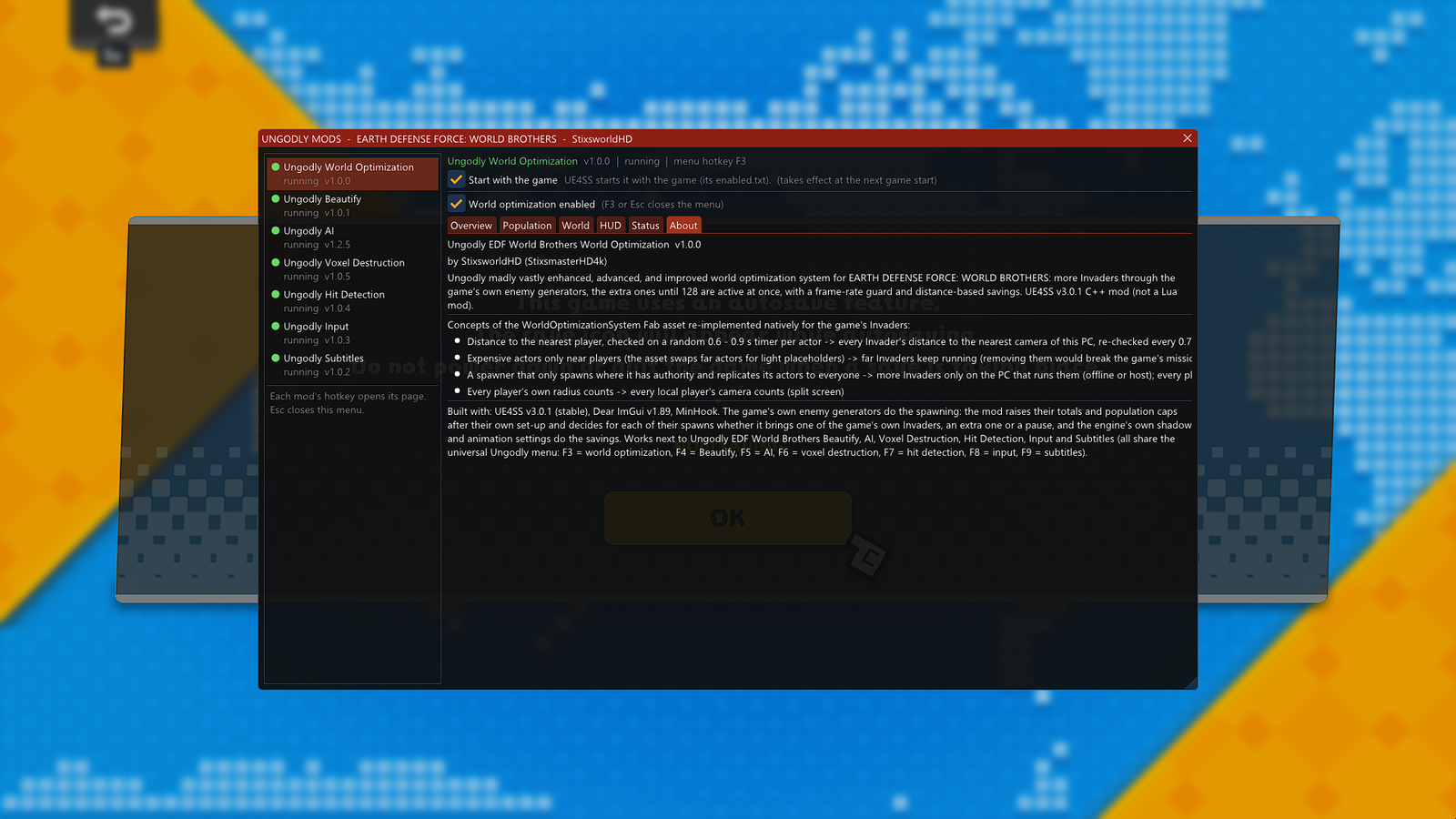
The game keeps running every Invader itself, with its own AI, spawn points and mission script. There are just far more of them, and your PC gets help carrying them.
- More Invaders. Every normal Invader generator sends more over the whole mission: twice as many by default, up to four times. Where a generator caps how many of its Invaders can be alive at once, the cap grows the same way. The extras are the game's own kind: same spawn points, same AI, same drops.
- Bigger waves. Each wave brings half again as many Invaders by default, up to four times as many: waves of 10 become waves of 15.
- Up to 128 active at once. Extra Invaders only arrive while fewer than the active enemy limit are alive (16 to 128, default 128), counted exactly the way the game counts them. The game's own Invaders are never held back by it.
- Frame-rate guard. When the game runs more than 5% below your target (default 40 FPS) for over a second, the limit for extra Invaders drops step by step, never below 24, and climbs back once the frame rate recovers. A notice on screen tells you when.
- The game's own pace. Every Invader still comes through the game's own spawn, which creates at most one every 1/60 s for all generators together, so no crowd appears in a single frame.
- No stuck missions. Extras that find no room are left out of their wave. A generator with only extras left that finds no room for 30 seconds finishes, so mission phases that wait for their generators always move on.
- Far shadows off. Invaders more than 120 m from your camera stop drawing dynamic shadows, on your screen only, and get them back 10 m closer.
- Online off-screen savings. When you join someone else's game, Invaders your screen doesn't show, 40 m away or more, only tick their montage animations until they're drawn again.
- Giants and specials. Giant Invaders are only multiplied with Multiply giant Invaders. Nests, ships, anchors and Invaders that arrive on request (carrier drops, centipede bodies, scripted drops) are never multiplied.
- Enemy counter. An optional HUD panel shows the Invaders alive, the active enemy limit, the extras spawned and left out, the frame rate and how many far Invaders have no shadow.
Presets
| Preset | Enemy count | Wave size | Active enemy limit | Multiply giants |
|---|---|---|---|---|
| Ungodly (default) | ×2 | ×1.5 | 128 | Off |
| Vanilla | ×1 | ×1 | 128 | Off |
| Bigger battles | ×1.5 | ×1.25 | 96 | Off |
| Horde | ×3 | ×2 | 128 | Off |
| Apocalypse | ×4 | ×3 | 128 | On |
Vanilla keeps the game's own enemy counts but keeps the savings. Bigger battles is the gentler choice for weaker PCs. Change one of the values a preset sets and it shows as Custom.
The host decides how many Invaders there are. As host, or offline, every population setting applies and every player sees the same Invaders: the other players don't need the mod for that. As a client, the population settings do nothing, but the shadow and animation savings still work on your screen.
- Hotkey
- F3
- UE4SS tab
- Ungodly World
- Folder
Mods\UngodlyEDFWorldBrothers WorldOptimization - Settings
- 20, in
UngodlyEDFWorldBrothersWorldOptimization.ini - Presets
- 5 + Custom
- Log tag
[UngodlyWorld]- Read-me
README_WorldOptimization.md
Try this first
- Turn on the Enemy counter on the HUD tab to watch the Invaders alive, the limit and the frame rate while you fight.
- Pick Horde (three times the Invaders, waves twice as big) or Apocalypse (four times, waves three times as big, giants too).
- Set Frame-rate guard a little below the frame rate your PC normally holds.